Posts

Word wrap in AdvancedDataGrid

So getting a column field to wrap in an AdvancedDataGrid isn't as easy as just setting the "wordWrap" property to true. Maybe it should be, but it isn't. First thing's first. Do you have an itemRenderer on the column you're trying to wrap. If the answer is yes you have to make sure that itemRenderer is based on a wrappable component. For argument's sake, lets say you have a Label itemRenderer, well you're going to have to change that to be based on Text, and you're going to have to give it a width to give it the capability to wrap (percentWidth = 100 works nicely). Then set your wrap-able column to wordWrap = true . Finally set your AdvancedDataGrid to have property variableRowHeight = true . Here is a link to an example with the view source enabled.
My first experience doing contextual research

For some back story – I’ve been on this project for 2 years now. I’ve helped design and build two dashboards and have never had the opportunity to meet or talk with a user until now and I am no expert in the client's line of business. I met with 7 users from 3 different user groups; 1 group per day; 30-45 minutes with each user, followed by an hour group session discussing the observations. A lot of them have similar issues. Issues within groups of users seem to be pretty much the same. I found myself getting frustrated and having to consciously calm myself down while meeting with the users. Seeing the roundabout way some of them had to work just to use the system drove me crazy. If I had only been involved from the beginning in this capacity, and with the requirements gathering for each release, these poor users wouldn't have to deal with a system that really doesn't meet their needs. But hey, better late than never I suppose. That is the story of my life... the story of ...

Spark Icon button

So the Spark button doesn't have the icon property... which to be honest annoys me a little, but I do understand that they want the skin to be separate from the code. Anyway, I made an icon button based on some other examples I've looked over. To see the working example with view source enabled click here .

Spark ComboBox vs DropDownList

I discovered yesterday that with the new Spark components there was no "editable" property on the ComboBox component. I realized that the Spark ComboBox is always editable by default, and with no way to turn that off I was confused. Did a little research and found that to have what would have been ComboBox editable="false" in Halo is now simply DropDownList. Two different components. I think it makes sense to have these separate.

Spark image button

So skinning spark buttons with images isn't the same as skinning halo (mx) buttons with images. It's a 3 part process. components.ImageButton.as package components { import spark.components.Button; [Style(name="imageSkin",type="*")] [Style(name="imageSkinDisabled",type="*")] [Style(name="imageSkinDown",type="*")] [Style(name="imageSkinOver",type="*")] public class ImageButton extends Button { public function ImageButton() { super(); } } } Script block [Embed('assets/images/btnGoUp.png')] [Bindable] public var btnGo:Class; [Embed('assets/images/btnGoOver.png')] [Bindable] public var btnGoOver:Class; [Embed('assets/images/btnGoDisabled.png')] [Bindable] public var btnGoDisabled:Class; MXML block <components:ImageButton buttonMode="true" imageSkin="{btnGo}" imageSkinDisabled="{btnGoDisabled}" imageSkinDown="{btnG...

What is a UX specialist?

A UX specialist is the best thing your company never knew it needed. Remember the day you got your first microwave? Your first cell phone? Your first smart phone? Your first DVR? Remember life before these devices? Can you imagine going back to that? What these devices do for your life, is what a UX specialist can do for your development company. A UX specialist can make things run more smoothly. A UX specialist will always make a product better, and will make a client happier. They may need some time up front, kind of like how you need to spend time learning and setting up your smart phone when you first get it, but more often than not, the total time spent on the project will be less because all those bumps and kinks get sorted out right up front. Because of this, a UX specialist will make your other team members happier because their job will be easier and there will be less rework. If you're running your TV without a DVR, you're missing out. If your development company is o...

iPhone & iPad design PS goodies

Image
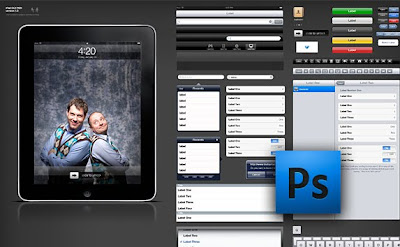
I have to very quickly come up with a design for an existing application for the iPad and the iPhone. No real time to learn some cool new tools (unfortunately). I am most comfortable in Photoshop so that's what I went hunting for for tools... These are just awesome and so helpful... iPhone: http://www.teehanlax.com/blog/2009/06/18/iphone-gui-psd-30/ iPad: http://www.teehanlax.com/blog/2010/02/01/ipad-gui-psd/